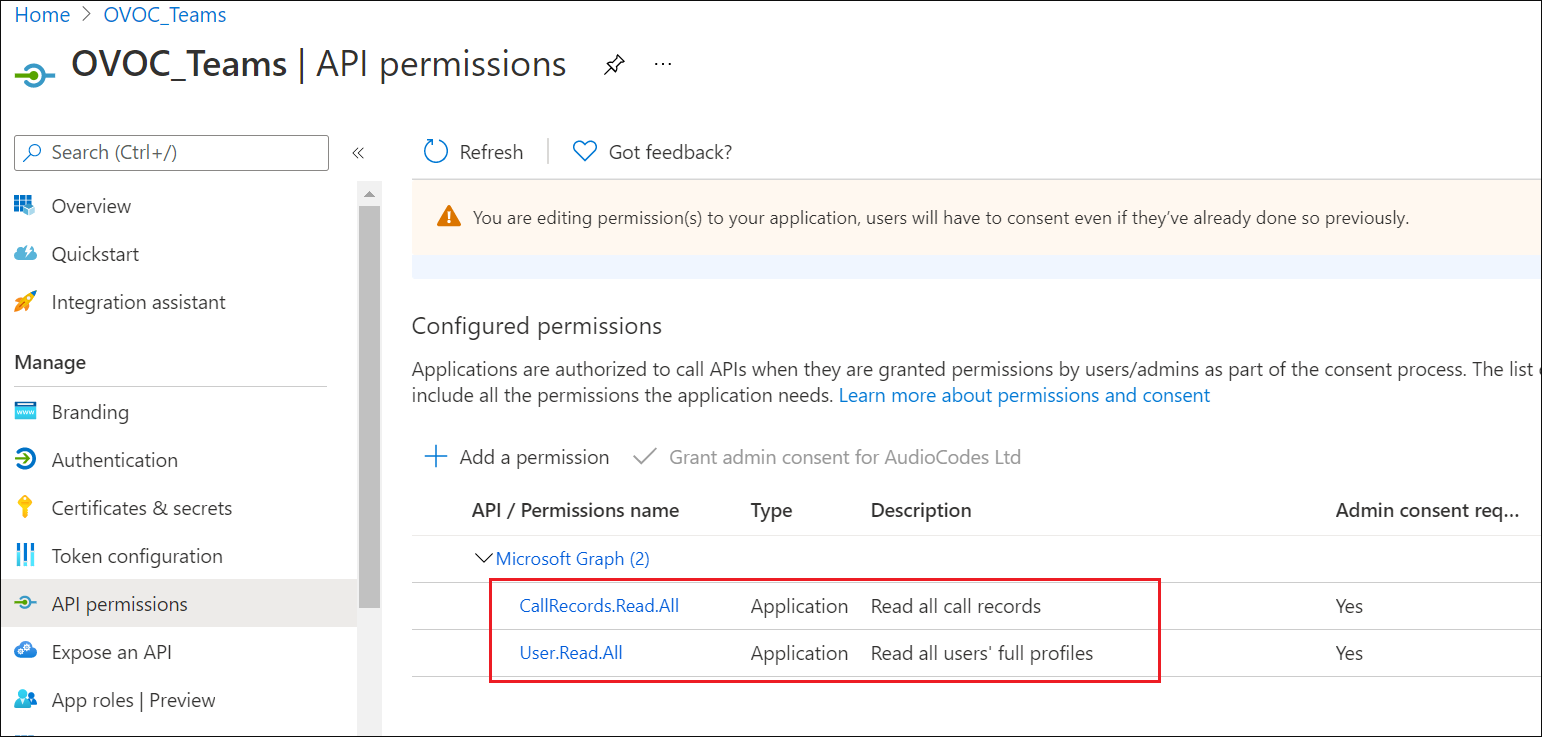
Configure Microsoft Graph API Permissions
This procedure describes how to configure the appropriate permissions to connect to Microsoft Graph API that is used to interface with Microsoft Teams to retrieve the Call Notifications.
| ➢ | To configure Microsoft Graph permissions: |
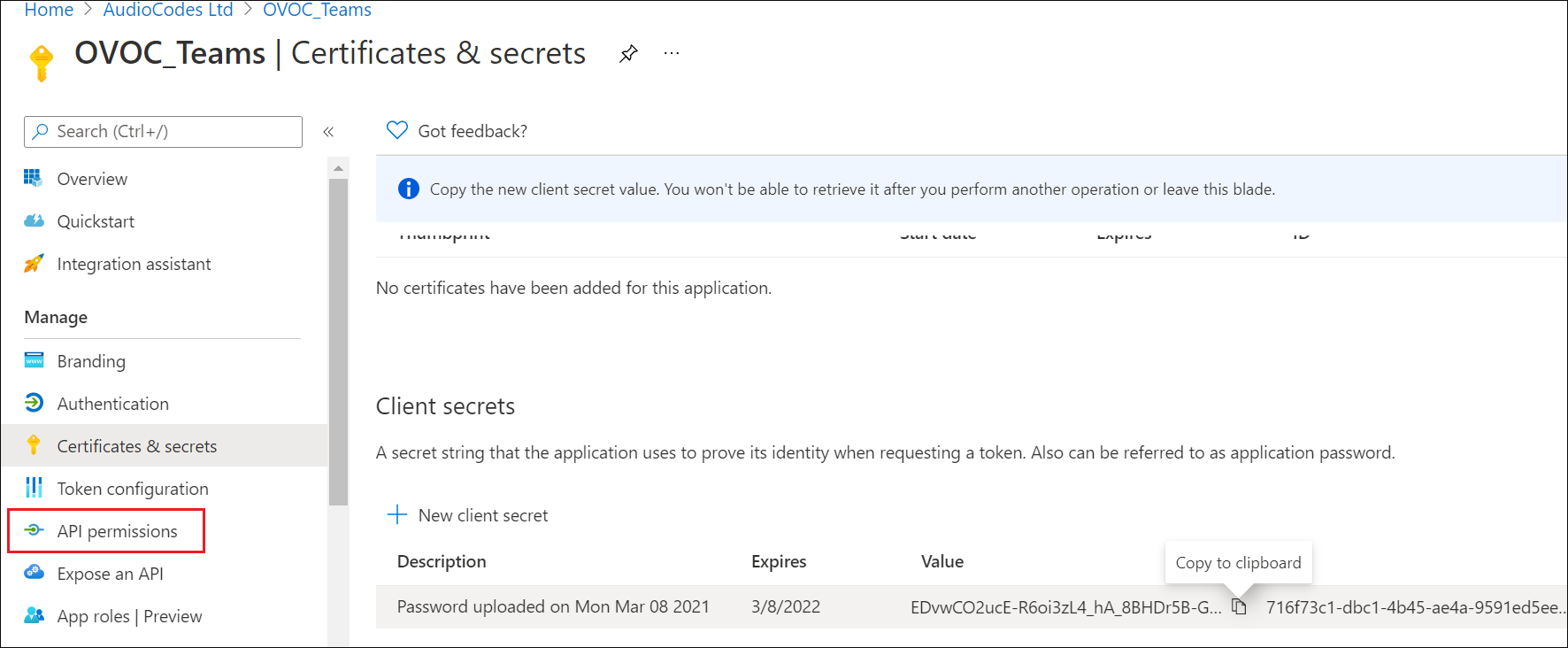
| 1. | In the Navigation pane, select API permissions. |
API Permissions
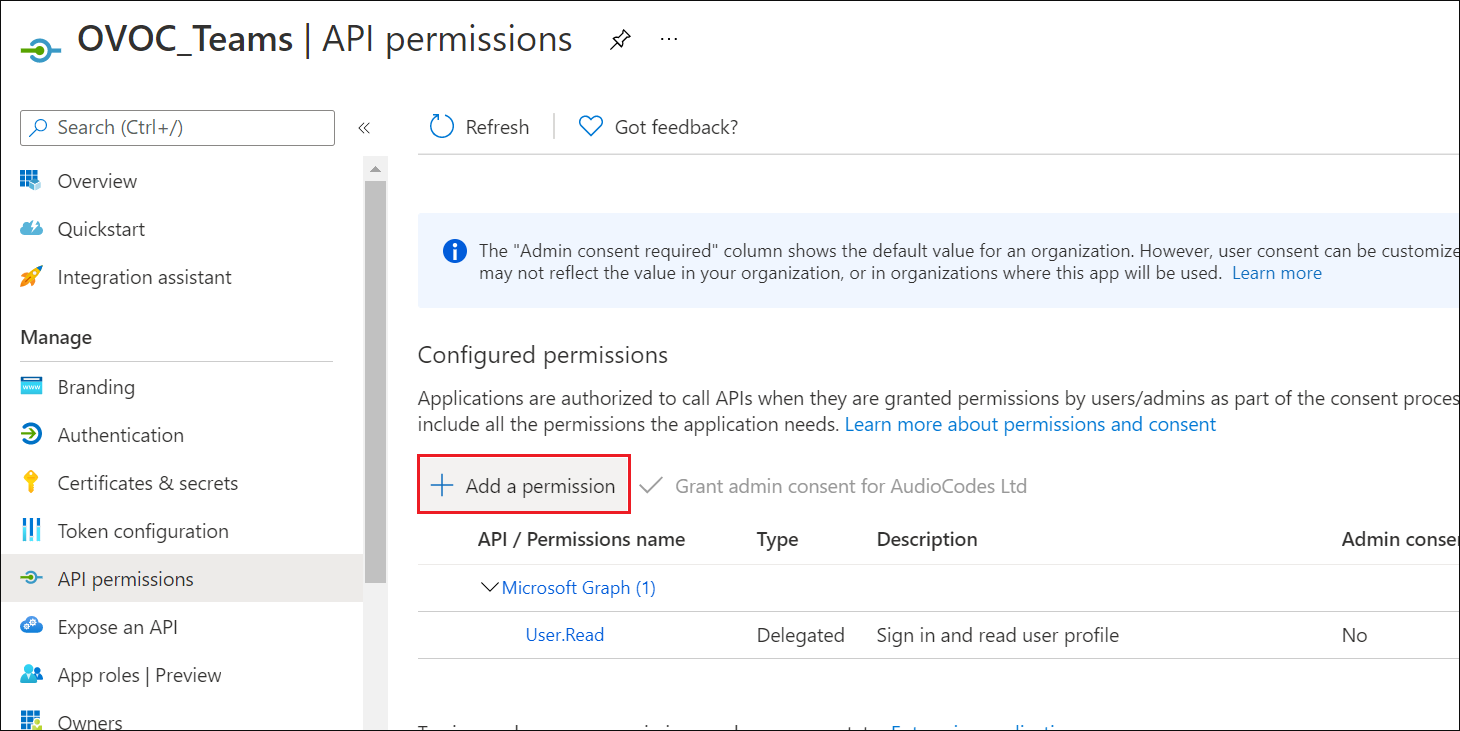
| 2. | Click Add a permission. |
Add a permission
| 3. | Select Grant Admin Consent for .... and select Yes. |
If the App hasn't been granted admin consent, users are prompted to grant consent the first time they use the App.
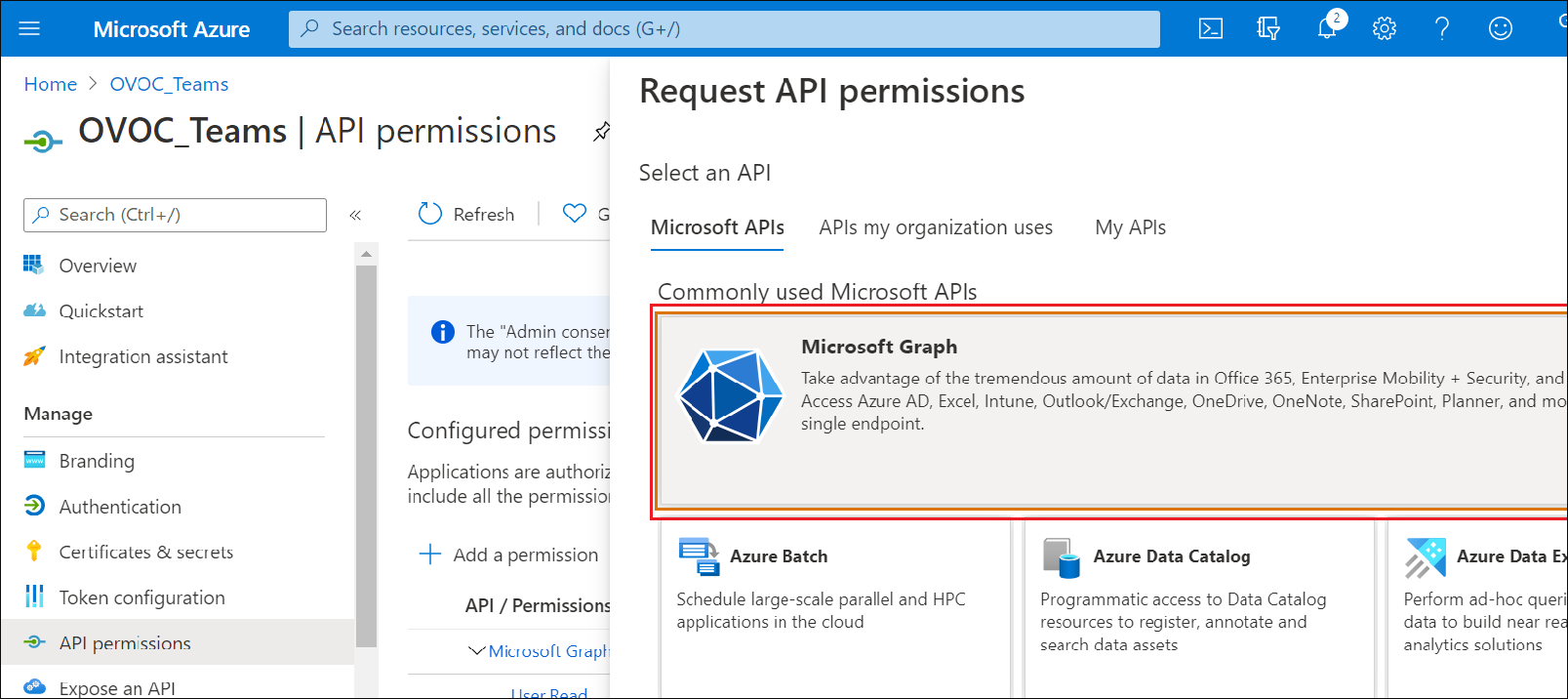
| 4. | Select Microsoft Graph. |
Request API Permissions
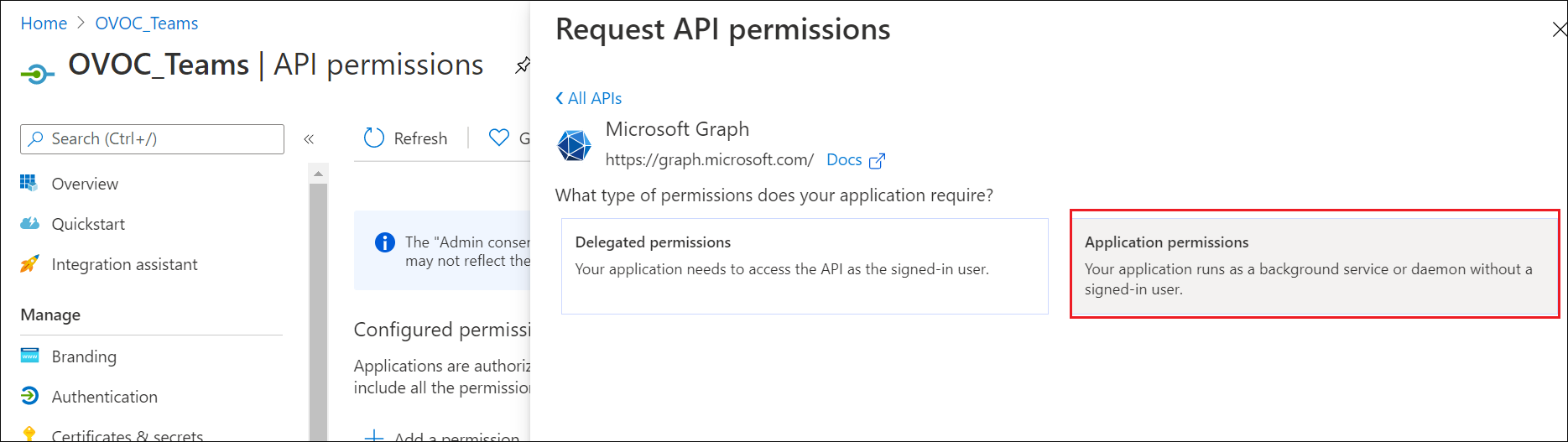
| 5. | Select Application permissions. |
Application permissions
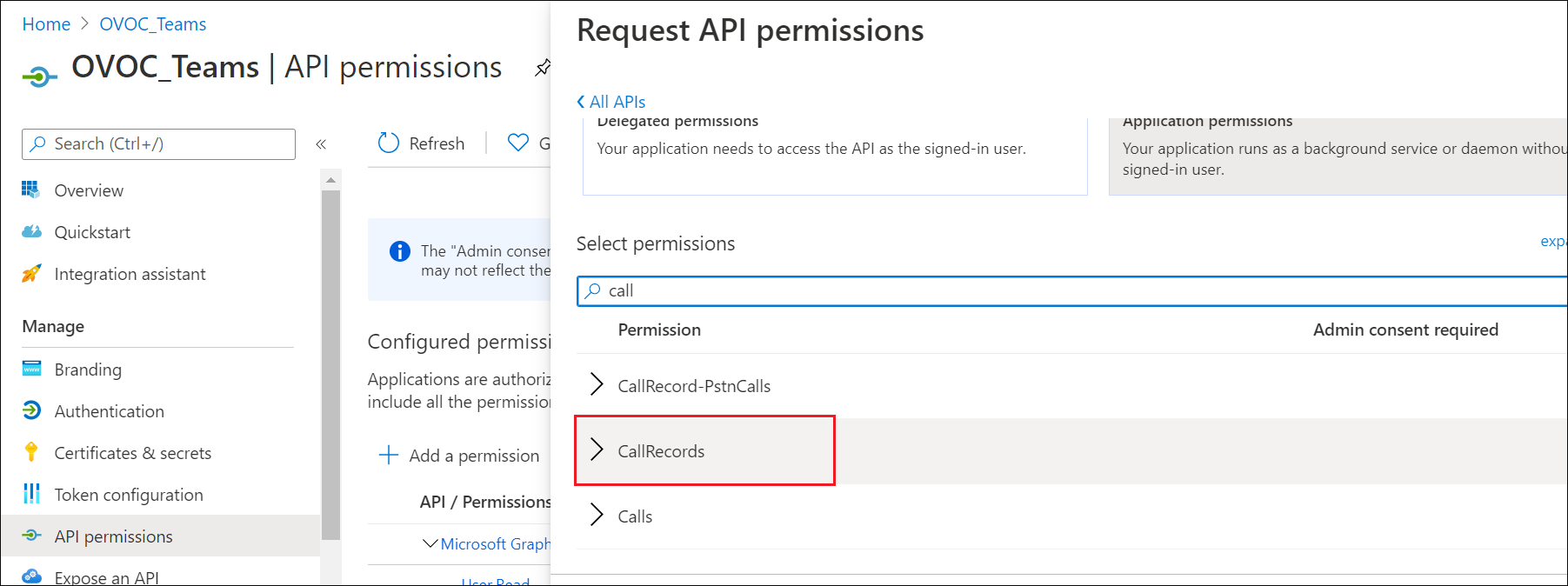
| 6. | Search for Permission Call Records. |
Call Records
| 7. | Set permission CallRecords.Read.All to enable access to retrieved call notifications. |
API Permissions
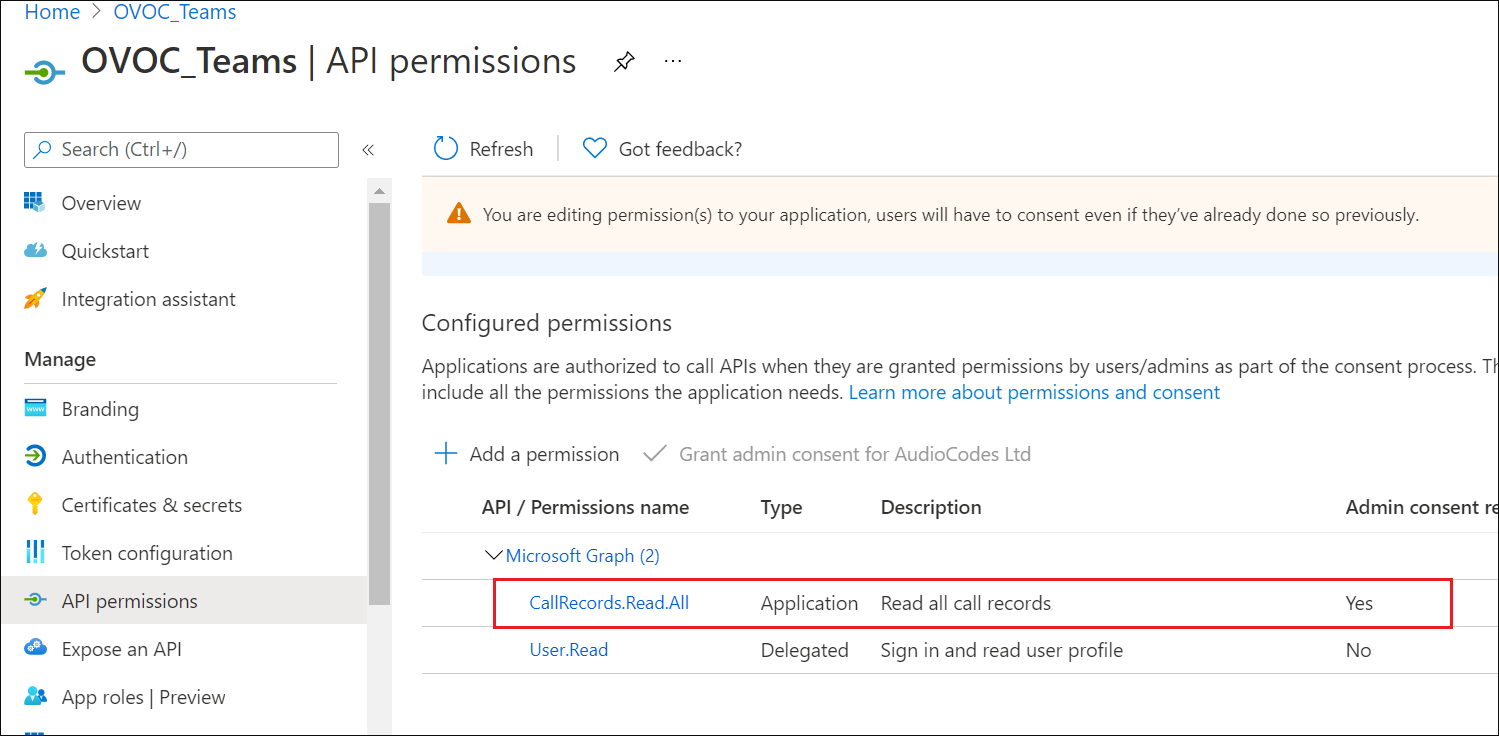
| 8. | You can optionally set permission User.Read to display caller details in retrieved call records. |
User Read Permissions